Not sure which Scandit product fits your use case?
Install the Scandit plugin and use the /data-capture-sdk skill so that your AI coding agent can recommend the right product for your use case. More info →
Run the following command in your project directory. It detects the supported coding agents you have installed and adds the Scandit plugin to each. Re-run it to update.
npx plugins add scandit/skillsPrefer to set it up yourself? Manual installation steps for each agent →
Configuring the Task Management Workflow
Configure the Task Management workflow in the Scandit Express dashboard to help users efficiently manage tasks related to product recalls.
The configuration can only be done via the Code Editor in the Advanced section of the dashboard:
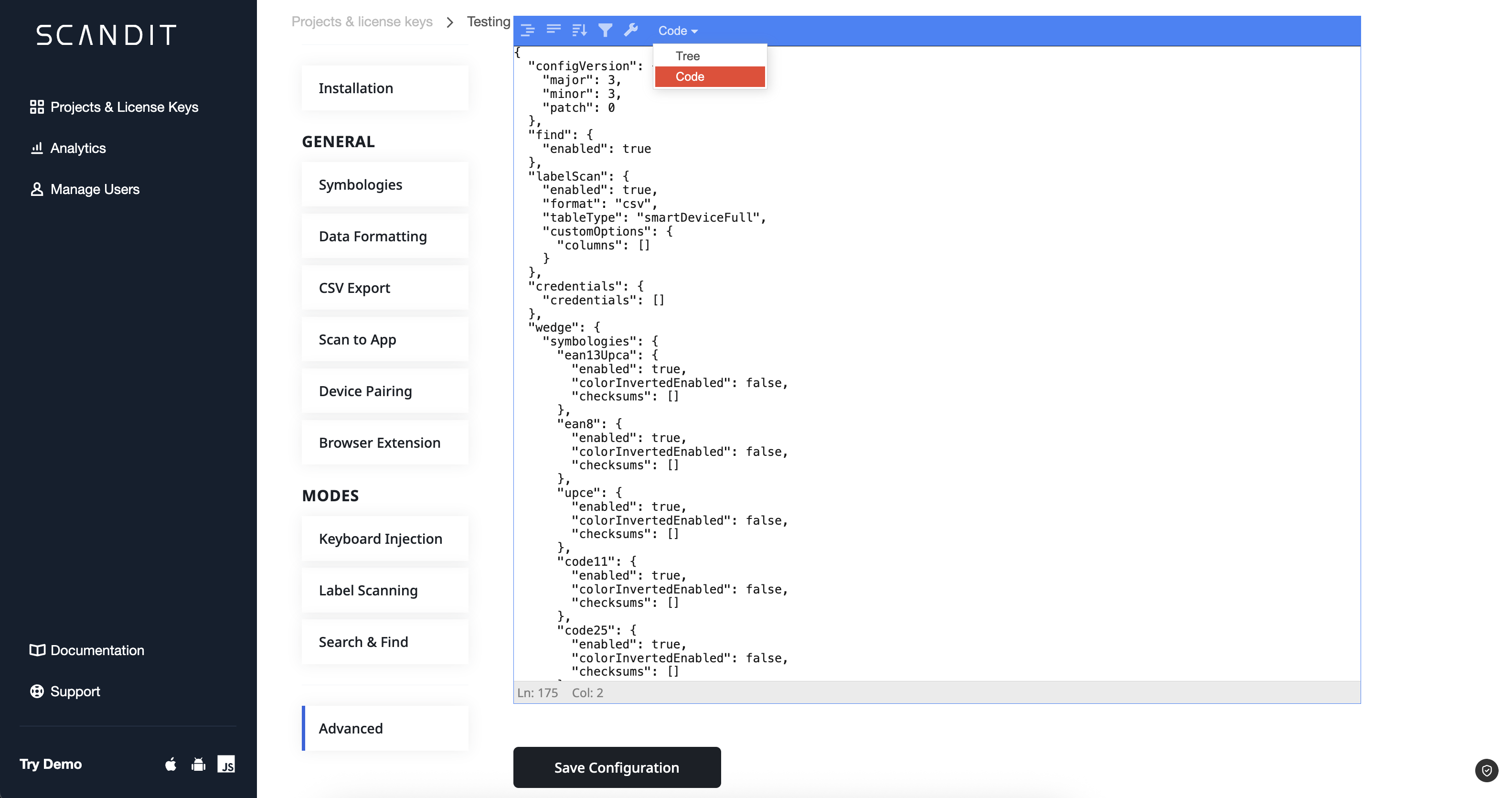
Configuration Options
The Task Management workflow can be configured using the following options:
| Option | Description | Example Value |
|---|---|---|
type | The type of workflow. This should always be set to taskManagement. | taskManagement |
labelCaptureSettings | Settings for label capture, including the fields to capture and their validation rules. | JSON, see example below |
taskGenericKeys | An array of generic keys that can be used in task prompts. | ["key1", "key2"] |
taskField | The field you want to consider for taking decisions about leaving on the shelf or not. | taskField |
Each taskField object must include the following properties:
name: The name of the field to capture (This should find a match thelabelCaptureSettings.labelDefinitions.fields[i].name).inListValue: String to be shown if the scanned label is in the expected list.notInListValue: String to be shown if the scanned label is not in the expected list.
Example Configuration
{
  "integration": {
    "integrations": [
      {
        "name": "TaskManagement",
        "scenario": {
          "type": "taskManagement",
          "labelCaptureSettings": {
            "labelDefinitions": [
              {
                "caching": true,
                "fields": [
                  {
                    "fieldType": "customBarcode",
                    "name": "Barcode",
                    "symbologies": [
                      "ean13Upca",
                      "code128",
                      "code39",
                      "interleavedTwoOfFive",
                      "ean8",
                      "upce"
                    ]
                  },
                  {
                    "fieldType": "unitPriceText",
                    "name": "Unit Price",
                    "optional": true
                  },
                  {
                    "fieldType": "weightText",
                    "name": "Weight",
                    "optional": true
                  },
                  {
                    "fieldType": "totalPriceText",
                    "name": "Total Price",
                    "optional": true
                  },
                  {
                    "fieldType": "packingDateText",
                    "name": "Packing Date",
                    "optional": true
                  },
                  {
                    "fieldType": "expiryDateText",
                    "name": "Expiry Date",
                    "optional": true
                  },
                  {
                    "fieldType": "customText",
                    "name": "Lot Number",
                    "anchorRegexes": [
                      "Lot"
                    ],
                    "valueRegexes": [
                      "\\d{5,15}"
                    ],
                    "optional": true
                  }
                ],
                "name": "text_semantics_label"
              }
            ]
          },
          "taskGenericKeys": ["Column", "Column2", "Column3"],
          "taskField": {
            "name": "Lot Number",
            "inListValue": "Recalled Item!\nRemove from shelf!",
            "notInListValue": "Keep item on shelf"
          }
        },
        "inputs": [
          {
            "type": "userSession",
            "fields": [
              {
                "type": "generic",
                "key": "Column"
              },
              {
                "type": "generic",
                "key": "Column2"
              }
            ]
          },
          {
            "type": "standard",
            "target": {
              "type": "googleSheets",
              "spreadSheetId": "10ewpiR5wWkBUGCvf5YooiZcrkh74VUQivEB3l3RU3jk",
              "sheetId": 640733273
            },
            "fields": [
              {
                "type": "generic",
                "key": "Column3"
              }
            ]
          }
        ],
        "outputs": []
      }
    ]
  }
}