Not sure which Scandit product fits your use case?
Install the Scandit plugin and use the /data-capture-sdk skill so that your AI coding agent can recommend the right product for your use case. More info →
Run the following command in your project directory. It detects the supported coding agents you have installed and adds the Scandit plugin to each. Re-run it to update.
npx plugins add scandit/skillsPrefer to set it up yourself? Manual installation steps for each agent →
Single Barcode Scanning
Implementing single scanning of barcodes using the Scandit Data Capture SDK can be done in two ways:
- (Recommended) Implementing SparkScan, our pre-built UI and workflow for barcode scanning.
- Implementing the low-level Barcode Capture API.
The SparkScan API provides pre-built UI elements (trigger button, camera view, camera controls), a complete scanning workflow (visual, audio, and haptic feedback, and UI transitions on scan) and offers additional functionality needed to achieve optimal scanning UX, such as:
- Triggering scans via a hardware trigger (volume or dedicated hardware button)
- Pre-built code rejection and error handling options
- Option to choose between single and continuous scanning, programmatically or with hold gesture
- Battery-optimizing features such as idle timeout and camera standby
- A floating UI that keeps your focus on the tasks at hand while offering the best scanning performances
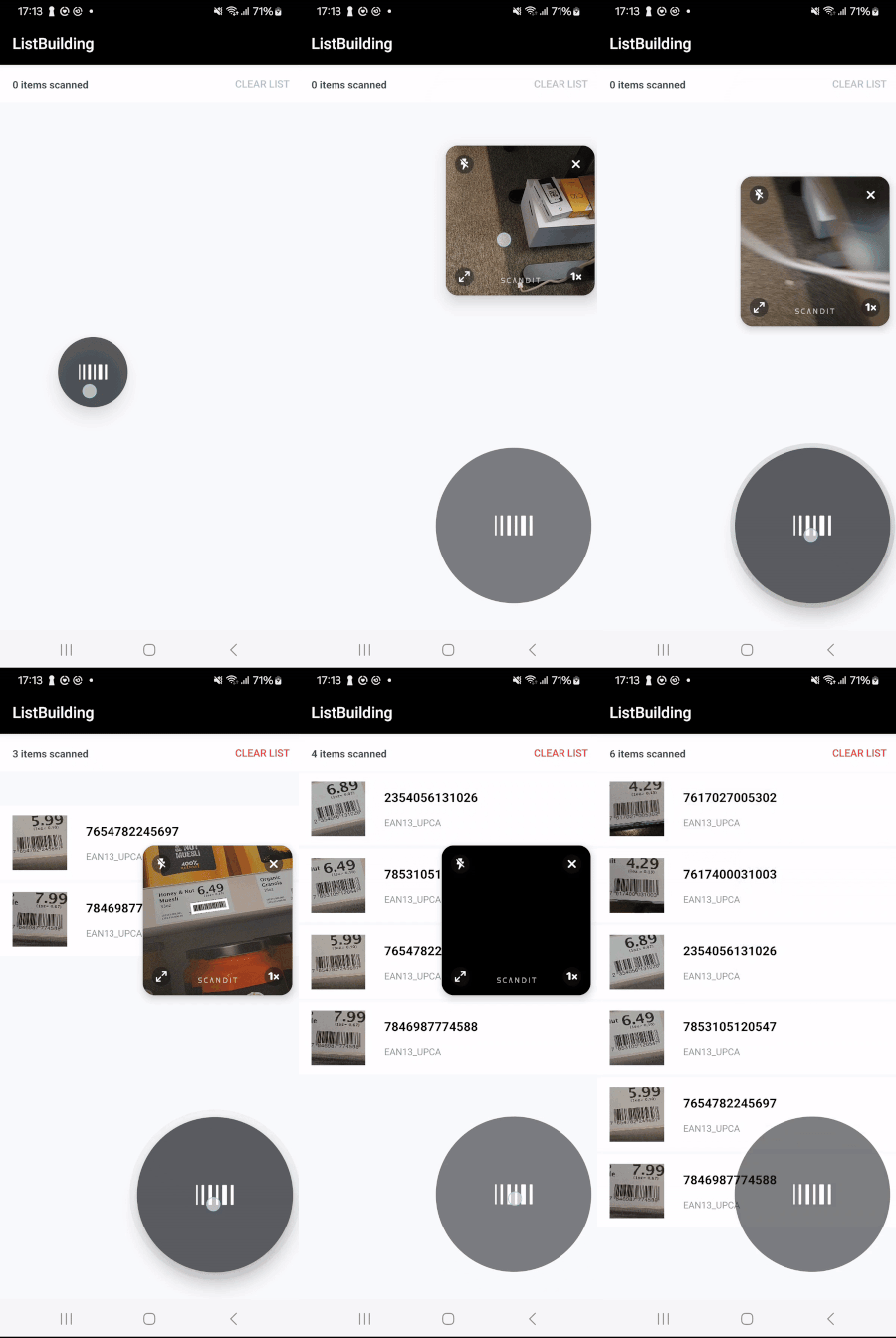
Scanning to a list with SparkScan
All of the above functionality is available out-of-the-box, without having to create it yourself via the low-level API.
Both SparkScan and Barcode Capture include AI-powered scanning capabilities that automatically handle challenging scenarios such as avoiding unintentional scans, selecting barcodes in dense environments, scanning damaged barcodes with OCR fallback, and intelligently filtering duplicate scans. See the AI-Powered Barcode Scanning guide for details.